

Recently a letter told us of a small dilemma:
“I’ve worked for six years in Charleston, SC, though I live many miles away, and like millions of other people, I’m sick and tired of the hassle of daily commutes. I have this idea for a little business of my own and want to get a computer to operate it out of my home. Though a little embarrassed to admit it, I haven’t the faintest idea how computers work, or how they’ll speed up the operation of a home business. Would MOTHER consider writing an article on how to outfit a home office?”
We’ve had similar conversations with dozens of readers over the past few months. In 1987, MOTHER began using desktop computers to lay text out on each magazine page, a revolution in capability compared to the hundreds of hours of cutting paper copy into blocks and pasting them onto aboard. Those first small Macintoshes are just ornaments today, when MOTHER uses computers to edit, typeset and scan in every photograph and illustration. Though at times we catch ourselves in wide eyed confusion, the tremendous time savings of giving the dull, repetitive work to that beeping marvel on the desk is always plain. After referring Jennifer’s question to country-business expert J. Presley, who lives in a town near St. Louis, MO and works out of his home office as a business writer and consultant, he jumped at the chance to demystify the computer “revolution” in home business. “J.P.” has worked with computers for over 20 years (“since they were steam driven,” he jokes) and will author part two of this series in the next issue.
Living in the peace and clean air of the country on a little place of your own is the American dream. And the single best way I know to finance that dream is to operate a home-based business. And please be assured that modern electronics–far from being something that is difficult to understand, is actually making country-located business more and more doable every day. High-speed computers let a single person process words, numbers, and images (all of it called data, in computerese) that once required a whole building full of clerks, artists, and bookkeepers. From even the most remote country location (so long as roads, electricity, and phone lines are in–and soon, even if they aren’t) business can be conducted around the globe using modern communication technologies including Federal Express, UPS, and other computerized delivery services, the phone company’s 800 and 900 numbers, faxes, computer-to-computer “modems,” and cellular and hard-wired phones sending voice and data via fiber optics, microwaves, and satellites. Anyone with a good business idea, the courage to take a risk, confidence to make mistakes and learn from them, willingness to work hard plus determination and energy can do it. You don’t need a lot of education or a lot of money–and you don’t need to know a thing about electronics. You do have to be willing to work harder and longer-for less pay than you’d earn working for someone else.
But, “It can’t be done” was what two young engineers heard when they wanted their Fortune 500 employer to develop a small, easy-to-use personal-sized computer. So, Stephen Jobs and Steve Wozniak “hacked” one together in Jobs’ parent’s garage using parts you can get from Radio Shack. Thus was born Apple Computer, the PC (personal computer), the Information Age, and “user-friendly” electronic devices of all kinds that can be operated by anybody with one good eye and a pointing finger. Come to think of it, you don’t even need the eye or hand any more. Braille keypads and talking computers are available if you need them, and “voice recognition” that converts the spoken word to computer printing is near to being an everyday practical reality.
Still, the technology is so new, so powerful and complicated, and changes so rapidly that computer phobia haunts us all from time to time. Many techno jerks think they can intimidate novices by tossing around such jargon as 66MHz 1486 DX2 CPU or MosFet thyristor. The sidebar “Computer Jargon” on page 70 contains definitions of the major buzzwords and we’ve put others in italics throughout this article. But, you don’t need to understand one of them to run a computer or a business.
What Can’t You Do In The Country?
I can’t think of any enterprise other than heavy, rail-transport-dependent manufacturing that can’t thrive in a rural location. Lower property values, labor rates, and taxes can more than offset the disadvantage of being far from city markets. In my part of the back country and working out of home, barn, and perhaps a small Butler-Building-style prefab factory are: one fairly large and two small food products factories; a gourmet kitchen supplies distributor; a caterer and restaurateur (hours from any major city); a data-processing forms maker; an international travel agency (operated by a shut-in using her phone, a FAX and Federal Express); two specialty auto-parts distributors; several academic and government researchers; a goat milk/cheese dairy; two sheep-farmer/ wool dyer/weaver-knitters; a bill collection agency; several business and technical consultants; newsletter publishers, writers, and editors; one or two computer bulletin board and 1900-information services, telemarketers/1-800-answering services, and dozens of fine and commercial artists, woodworkers, jewelry makers and other craftspeople. Oh yes …a few of my country neighbors even make a living as farmers, but the most successful maximize productivity with computers and extend their marketing reach through electronic communications.
If you haven’t quite hit on a business idea, go to a newsstand and pick up the small-business magazines such as INC and Success. Entrepreneur Magazine is giving increasing attention to home business, and Home Office Computing concentrates on it exclusively. The latest I have seen contains ideas for 101 service businesses. The magazines overflow with motivational stories of people who are “doin’ it.” Only a few are from New York, Chicago, or LA, and nearly all use computers and other modern electronics.
Computer books are awful. I haven’t seen one that offers more help than you will get from the self-teaching tutorials and manuals–called documentation by engineering types–that come with modern computers and with the application programs or software that lets the machine do meaningful work. Both manufacturers and the larger retail chains offer training for free or a small cost. I can’t recommend any of the instructional programs that you see advertised in magazines or on TV, and increasingly, both equipment and software are self-explanatory and the manufacturers offer toll-free 800-numbers manned by technicians who can answer most of your questions anyway.
Then …once you’ve become “computer literate”…forget it all, lest you spend too much time on computers and too little on computing …because not even a whole room full of IBM PCs and Apple Macintoshes plus all. the magazines on the rack will put you in business.
Computers Won’t Do It For You
Making a living by working at home doing something you love is great …but it takes a service or a product that people need (or that you can convince them they need) and above all, it takes time, energy, and application–plain hard work. I know I said that before, but it warrants repeating. As one successful entrepreneur I know puts it: “My wife and I started this business on the kitchen table with $2,500 borrowed from a credit card. We both quit our 9-to-5s within three years.” With a grin, he concludes: “And, we haven’t had to ‘work’ since…”–even though they both still put in six or seven 18-hour days a week. But the popular adage, “Follow your bliss and the money will come,” is wishful thinking for all but a fortunate few. Computers will make the work go faster, but it is you who must learn to manage money, people, and time. And, above all, learn to sell. Great as your idea may be, you can’t just hang out a shingle and have the orders pour in. “Build a better mousetrap and the world will beat a path to your door” is bunk for anyone but mice. Every business has to sell aggressively–especially in today’s penny pinching times.
“Where to learn?” you ask. The best way is to work for someone who already knows.
Otherwise, teach yourself as much as you can before you take the plunge. The best primer I’ve run across is a TV program that’s available on video tape. Like myself, you may have mixed feelings about the boob tube, but the 13 part series “Venturing” by Vermont Public Television is sponsored by the Farmers Home Administration and designed specifically to educate small business operators located in rural areas. It uses real people facing real problems–such as the Humes of Chester, VT, who had to expand their hand packed”Green Mountain Gringo Salsa” overnight to fill a surprise order from Blooming dale’s. They bought $5,000 worth of used machinery, rather than spend $100,000 they didn’t have for all new, and fulfilled their three-year business plan in only three months.
Chances are one out of two that you’ll fail rather than repeat the Humes’ success. But you’ll be ahead of the pack with “Venturing,” which will both inspire and teach you the basics of business planning; about finances and the difference between investment equity capital and leverage (your own saved money and borrowed funds) and between kinds of money: income, cash flow and profit; about sales and marketing; managing growth (harder than you might think ask the Humes); about hiring, motivating and firing, and more. And/or, for less than half that amount you can get the more dense, faster paced video: “How to Start a Business,” produced by another Public Broadcasting entity, The Nightly Business Report. A good next step might be marketing and finance courses at the local community college. Read everything that doesn’t bore you so much you’re wasting time. (Most business text books are almost as unreadable as the computer books.)
Most important, perhaps: learn to write a business letter that is clear and gets right to the point but still manages to be friendly and sincere. Never more than one page, and a half-page is better. Business people never have enough time and are put off by rambling correspondence. As the saying goes: “Time is money.”
You’ll find good books on business writing …and on budgeting time as well.
Finally, examine and, if need be, adjust your attitude toward business. If you came out of the flower-power ’70s like me, you may retain a smidgen of anti-business, “profit-is-evil” bias that’s out of step with a global economy where even the ex-USSR and China are striving to “maximize profits” as the saying goes. Any business must bring in more money than it spends. The difference is profit. As Samuel Gompers, the early Union leader put it: “The best thing business can do for the working man is to make a profit.” If you still dislike the sound of the word, read Paul Hawken’s lovely book Growing A Business.
Finally, if you’ll forgive a little flag-waving, the best thing you can do for the nation is to start a business. Our country needs jobs, and more of them are created by small enterprise in these days of corporate “downsizing” than by GM, IBM, and the other big guys put together. Over 700,000 new small businesses were incorporated in the USA in ’93. That is 2,000 every day of the year. The greatest increases were technology intensive enterprises started in the proudly rural states of Montana and Wyoming.
Enough preaching. If you have something to sell and know how to sell it (or are willing to learn) …go for It. A computer and peripherals, communication electronics, and a modern phone system will enable you to manipulate words, images, and numbers and send them around the world at light speed. With preparation, hard work, and a little luck, the money will come in. With nothing but preparation and hard work it will come in too, just more slowly.
Beating Computerphobia
Today’s computers are so small and powerful you can carry your entire business in a shoulder purse or attache case. But, powerful as they are, modern computers truly are “user-friendly.” If you were scared away by early computers that were low powered, overly complex, and useless in any practical sense during the 1980s “home computer” fad, rest assured. You don’t have to know the programming language BASIC and write your own programs as we did years ago. You no longer have to memorize such MS/DOS operating commands as COPY:*.* B:PRNT:LTR/Mthr (and type them in without so much as a spacing error) to print out your letter to Mother. Its all done now by pushing a few keys.
If you have avoided computers because you don’t understand how they work, welcome to the club. Even after working with them for half a lifetime, neither do I really …though I will try to explain the electronic heart and soul of a computer–the transistor–next time. But, do you understand how your car works? Neither do I, but we can both start one and make it go where we want. Same is true of computers; all you need know is how to turn them on and steer.
Much of the fun of getting into computing is choosing and learning to use the machine. But, before you go shopping you should understand what a computer can and cannot do.
A computer can manipulate words, figures, and images in marvelous ways. But, it cannot create a single thing. You must originate data. Unless you are copying someone else’s work, you must think up and input every word in a report, every figure in an accounting ledger and every line in a picture. The computer (1) converts your input–the punch or a keyboard letter or number or a line “drawn” on the screen–into a digital data stream, a light speed-rapid sequence of tiny electrical pulses, then (2) converts it into images of letters, numbers, or lines that appear on your TV monitor so you can watch what’s going on, then (3) processes the data (shuffles it around) as you direct, and (4) stores it in an electronic filing system. The tool that the computer uses to perform these wonders is a book of electronic code called a program or software. I’ll discuss software first because its is more important than the machinery–called hardware.
Software
Software performs quickly and electronically all the work you used to do with paper, pen or pencil and eraser, slide rule and calculator, typewriter and “white-out,” scissors and paste, or paint and canvas. It will even do animation and more complex simulations that are called “virtual (meaning computer-created) reality.” A program can store all your correspondence, accounting ledgers, and artwork too in the electronic memory banks–so you don’t commit your work to paper till it is perfect and you need hard copy.
Here are the major software categories:
1. Operating Systems (opsys) are programs that connect the computer’s inert little plastic and silicon electronic components to each other and link the computer to the TV-set monitor, to the keyboard and the printer, giving it all a semblance of life. They include Windows (which rendered Microsoft Corporation’s bespectacled founder, Bill Gates an exemplar of the “Revenge Of The Computer Nerds” by making him a multi-billionaire before age 35) and Apple’s closely held system (newly named MAC/OS) for Macintosh computers. Forget them all. Operating systems are transparent to the user, which means that you never know they are there. They come on when you activate or boot the computer and the code containing complicated commands like COPY:*.*B:PRNT1 is in there, but it labors away silent and unseen. These days, if you want to copy or print a letter all you have to do is tap a pair of keys or activate an icon on the screen.
2. Application programs make the machine do specific, useful things.
Word processors let you manipulate language–write words and sentences and paragraphs on the easily erased TV monitor instead of paper. Unlike working with a typewriter, you can edit–erase, cut and paste, correct spelling and punctuation, etc.–by manipulating fleeting electronic images rather than toiling with paper and ink. Good-bye white-out and erasers. Farewell scissors and paste. So long (Praise be!) to carbon paper. And, you’ll have no carbons to file, as all copies go into an electronic filing system. After typing in the text of that letter to MOTHER, you edit by using the keys, a handheld mouse, or stationary trackball to move a little blinking blip on the monitor–the cursor–to something you need to change. You hold down a button, moving the mouse or whatever so the cursor moves along a line of text. As you move the cursor, the background behind it turns black, highlighting the selected portion. Then by moving the cursor to a menu of commands around the border of the screen, you can elect to delete or cut and paste highlighted words, lines, whole paragraphs, or pages with a push of the button.
With the dictionary/thesaurus included in all word processors you can correct spelling, look up definitions and synonyms, and with templates can address envelopes, construct and fill in forms, or create personalized form letters–any word work you can think of. Accessory programs will check your grammar and punctuation, and others will even “think”–or more properly, arrange and amplify your ideas-for you. Then, with the push of a button, your printer will run off one to a million copies in any of a thousand typefaces in any number of columns or other format on plain Xerox paper.
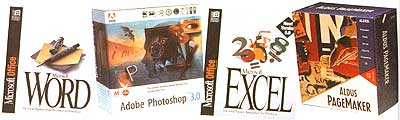
A word processor has reduced the time I need to “input data” by a factor of 10 over a marvelous IBM Self-Correcting Electric typewriter, despite the fact that I’m a lousy typist and short two fingers to boot. Microsoft Word and WordPerfect are the two leading full-featured sellers at a list price of about $500 and a street price of just under $300. But if you don’t need outlining capability, automatic table of contents, envelope addressing, and a huge thesaurus–there are dozens of others that will perform basic text originating work for a lot less. It’s worth mentioning that the word on the street is Microsoft Word’s newest version (6.0) for the Mac is a disaster. It’s incredibly clumsy, complicated, and so slow you’re tempted to resort to handwriting. Go for version 5.1 if it’s available.
Desktop publishing programs used with your own printer or a print shop’s press let you lay out and print anything your word processor can generate–from letterhead stationery to business cards to flyers or brochures to full-color slick paper coffee-table books that are indistinguishable from those produced by the big publishers. Adobe’ PageMaker is the industry standard at $500 list, but many less ambitious programs are available for $50 and up. Indeed, the latest releases of the full-featured word processors include enough page-layout and graphics capability to produce most flyers, brochures, and newsletters.
Spreadsheets are for analyzing figures. Just as with any printed bookkeeping or accounting form, you plug numerical data into cells in labeled columns. Then you can tabulate and analyze it automatically. A great feature is the “what if” function. For example, I help client firms set up pension plans. We must make assumptions as to each beneficiary’s anticipated age, sex/expected longevity, and years’ service at retirement …plus interest the plan will earn on invested contributions, tax implications of integration of benefits with social security, the effect of deferred taxes (and more) …to arrive at the contribution needed to pay out promised benefits over a given time at least cost. Very detailed, complicated stuff–all of it educated guesses–and small changes in any assumption can change costs, taxes, and ultimate payout. Thankfully, the computer can do all the calculations so you can try out various alternatives. For example, you can ask: “What if there’s a change in the interest we will earn on investments?” Punch in a different interest rate, press the DOIT key, and the computer will recalculate the whole plan quickly, without error. Microsoft’s Excell is currently the most popular number cruncher for both Apple and IBM. Lotus 12-3 practically invented the genre for the IBM standard, and their latest release for Windows is reportedly the fastest in the business. Lotus’ new IMPROV lists accounting formulas in plain English rather than symbols. Borland International’s Quattro Pro is in the same league. All use graphical rather than typed-out commands; all automatically tabulate data in a wide variety of tables, color graphs, or charts; and all list for $495 but sell for less. Indeed, at this writing, you can get Quattro Pro in a special promotion for under $50.
Relational database programs let you file and arrange text, numbers, or picture references in cross-indexed files and then massage them to your heart’s (or your profit & loss statement’s) content. Say you have a 20,000-name customer mailing list. You must input every name and address and all the order, return, and other sales figures. But then …without having to shuffle file folders or index cards, the computer will generate lists of all customers who live in a particular state, or who have (or have not) purchased a certain amount over a given time period, or who have blue eyes and a given birth month, or any other combination of traits. You send reminders to customers who are overdue in paying bills, and some advanced or industry-specific programs will analyze a customer database to predict (for example) which of your customers in a given state are most (or least) likely to delay payment for a certain class of merchandise delivered at a given time, and how long they’ll hold payment. This makes for pinpoint marketing and accurate billing. Imagine, by pressing a few keys, you can generate a mailing to only those size 9, petite females in the 19-29 age group who have shown a preference for lace and the color blue and who live in the South (so you can do an August promotion for a sassy little lace collared chintz shirtwaist dress you can get in 8-10-petite/pastel-blue only, but for a song). Just think how many people-hours of typing, envelope shuffling, postage-meter cranking are simply eliminated forever by database programs.
Graphics programs let you create images: draw, paint, draft, or design in black and white or color on an infinitely erasable computer screen. Then you can transfer the image to paper, blueprint, video, disk, or slides. You can buy disks of images or “clip art” to plug into your work. Or, a digital scanner lets you copy pictures from any source, while a “video grabber” takes TV or can corder or digital still–camera images and puts them on your computer screen (in motion if you like). Then you can edit, enlarge, reduce, or combine images as you wish. The programs won’t make an artist of you–or they haven’t made one of me. But I do use Aldus Super Paint to make up ads and MacDraft, a simple CAD (computer-assisted design) program to design office layouts. If your computer is a recent model that’s fast enough and has a lot of electronic memory, you can use such programs as Adobe Illustrator ($600) to do publication-quality color illustrations or Adobe Photoshop ($800) to edit National Geographic quality photos, or you can use them in combination. Advanced motion-picture or CAD programs let you do such simulations as wind tunnel-testing aircraft, exposing a building design to an earthquake, or testing metal pieces turned out by milling machines that are still in the idea stage.
Paperless Office
If you create an electronic filing system and get a scanner, you may never again have to file a carbon copy of a letter or a clipping. Every electronic document you create is called a file. On the home-base monitor screen (the desktop), each is indicated by a little icon of a typed letter with is name underneath. You accumulate files by putting them into an electronic folder, indicated on the screen by an icon of a manila folder. When you move a file into a folder, it disappears from the screen. Put all your folders into an electronic file drawer and the folders all disappear, though all the data are there if needed. Just move your cursor to the icor of the file drawer and click the mouse button. A list of folders or named icons of all the folders appears. Click on the folder you like and the list of icons of files it contains pops up. Click on the file you want and it appears on the screen. Don’t decide to go into the carbon-paper and onion skin copypaper business.
To file electronically the correspondence you receive as well as articles and other printed matter, you need a scanner (a piece of hardware we’ll discuss in the next article). Tabletop or handheld models use lasers to record the image much as a copying machine, but instead of printing on paper, they translate the image into a digital reproduction you can read on your monitor and file electronically.
Another warning: Business programs have reached their optimum practical utility, so are liable to “featurecreeperea”–a real word that means “an excess of features added to justify an exorbitant price.” At under $500 a program, most software isn’t exorbitant considering its capabilities. But, as noted above, word processors are adding drawing and desktop-publishing subprograms while spreadsheets offer presentation graphics along with text-generating capability and graphics programs contain enough text-generating capacity to write a book. All the extra features take up limited space in the computer–most of it for bells and whistles or redundancies you’ll never use.
Instead, look into integrated multifunction programs that package several applications into a single shell so they work well together but duplicate no major functions; you can plug numbers from a spreadsheet and images from an art program into a report on your word processor with the punch of a few buttons. Some, like Microsoft Office, combine several full-featured, $500+ programs into a single package you can get for less than one of its components. Others such as Microsoft Works incorporate only the most-used features of several programs into one package for a hundred dollars and change. Either is a bargain, as full-featured copies of all programs included would run you $1,500 or more. Universally acclaimed the best-engineered both for IBM-standard MS/DOS-Windows and Apple’s Macintosh is ClarisWorks by the software arm of Apple. This is the first multifunction program to offer seamless integration of competent word processing, spreadsheet, database, drawing, and communications, without filling up the whole hard disk …a bargain at under $200. Though you might outgrow it in time, it’s an excellent startup package.
But this is all generalized business software. Your business may have special needs, and new specialty programs are coming out every day. For example, I use ClarisWorks for all my own business-letter writing, accounting, and database work. Though fine for routine writing, the word processor lacks niceties like an automatic word-count feature or a really comprehensive thesaurus, dictionary, and spelling checker. So, I use Microsoft Word to originate articles and books. WordPerfect or any other full-featured writing program would also do.
Once you have mastered the three basic business programs and those that are specific to your own trade, you may want to add some that have been written to help educate the kids, entertain all ages, and make information of all kinds more useful. Few stores stock more than a few programs, and they charge full retail prices. You’ll have to buy by mail. Be sure you read the magazines to learn what a program can or can’t do. Then, buy from a well-established seller. Like many, I have had bad experiences with fly-by-night mail-order firms–specifically, trying to return a malfunctioning program. One software-selling company that I can recommend (following the leads of the largest user clubs on each coast) is the MacWarehouse for Apple and PCWarehouse for IBM-standard.